Murf AI: Pricing, Free Trial, Studio and Dub
Murf AI pricing explained: Studio voiceover costs, free trial export limits, commercial rights and separate Dub credits. Budget your video workflow.
Published . 7 min read. Based on official sources, checked on the update date; every price links to its source. Our method.
Contents
Murf AI offers two different workflows: Studio turns a script into narration, while Dub translates an existing recording. Studio Creator starts at $29 per month, or $228 billed annually, for voiceovers such as training modules and product demonstrations. Pricing checked September 30, 2026, in USD; the public grid does not specify tax treatment.
This guide uses official documentation. The budgets below are calculations, not measurements of voice or translation quality. Murf links are direct, with no active affiliate relationship.
Murf Studio vs. Dub: Which Do You Need?
Start with your source material: a script that needs a narrator or a recording that needs another language. Murf’s product documentation, checked September 30, 2026, separates these tasks:
| What you have | Product to consider | Preparation required |
|---|---|---|
| Script, slide deck or silent screen recording | Studio | Narration, terminology and timing |
| Existing audio or video with a speaker | Dub | Transcript, translation and speaker consent |
| An application you are building | API | Technical integration and separate usage billing |
Studio lets you adjust narration and combine it with media. Dub aims to retain the source speaker and background audio across languages. Neither capability establishes how well it will handle your technical vocabulary.
Custom Studio voice clones appear as an Enterprise add-on on the pricing page, checked on the same date. Do not subscribe to Creator expecting to upload your voice and then narrate arbitrary new scripts with it.
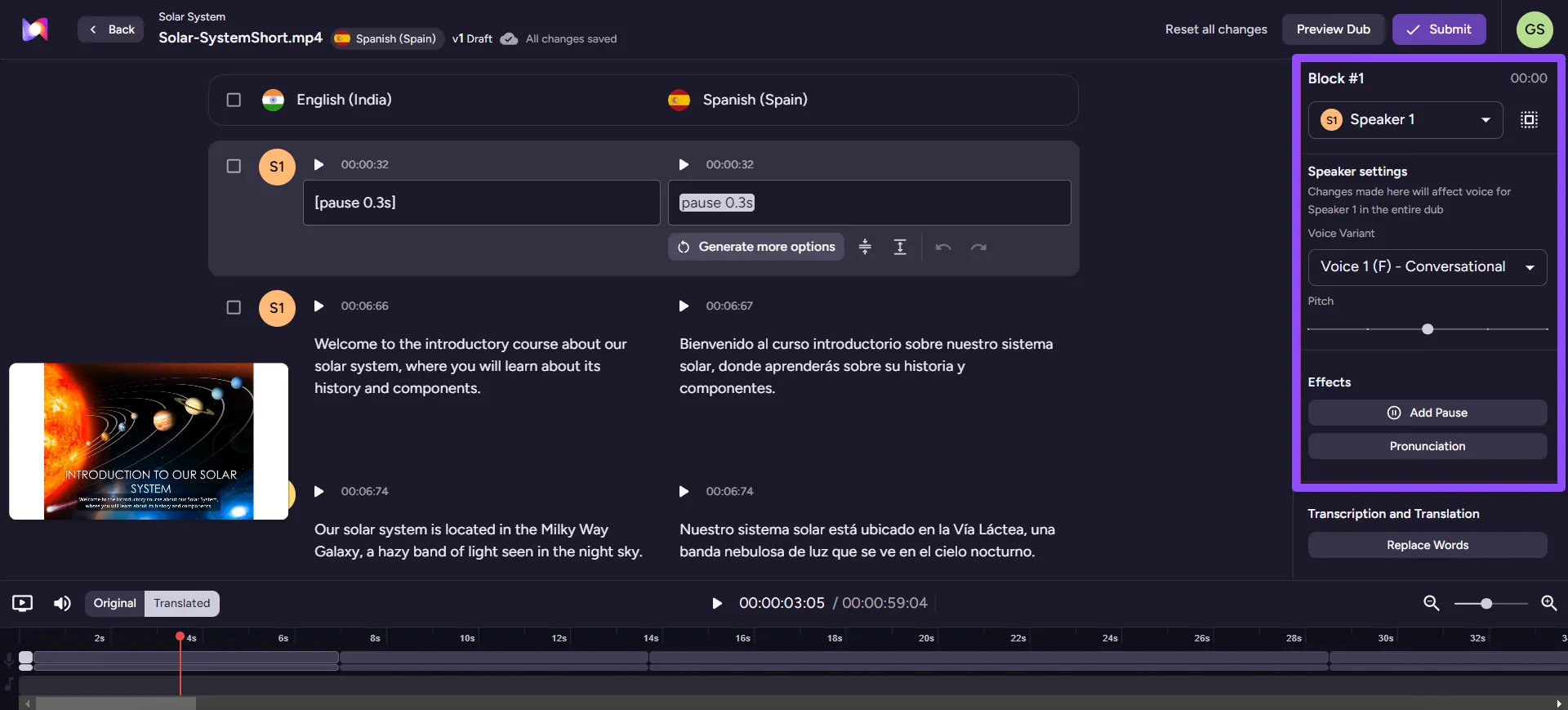
Illustration from the Murf Dub documentation, retrieved September 30, 2026. The columns support text comparison; the right panel adjusts the speaker and delivery. This editor view does not establish dubbing accuracy.
What Does the Murf Free Trial Include?
The Studio trial includes 10 minutes of voice generation, with no credit card required. You can listen to your script and explore the controls, but downloads are unavailable (export restriction, checked September 30, 2026).
There is no fixed calendar deadline, according to the trial duration policy. The allowance is a trial balance, not ten fresh minutes every month. Bring a sample containing a product name, acronym, dollar amount and longer sentence so that your evaluation covers likely pronunciation problems.
Dub has a separate trial. The Dub tab on the pricing page shows 100 credits and two simultaneous projects, checked September 30, 2026. The trial help page describes watermarked downloads but still lists 200 credits and one project. Check the actual offer in your account rather than transferring Studio’s rules to Dub.
How Much Does Murf Studio Cost?
The Studio price list, checked September 30, 2026, shows:
| Plan | Monthly billing | Annual billing | Included generation |
|---|---|---|---|
| Creator | $29/month | $228/year, equivalent to $19/month | 2 hours/month or 24 hours/year |
| Business | $99/month | $792/year, equivalent to $66/month | 8 hours/month or 96 hours/year |
| Enterprise | Custom | Custom | Contract-specific |
Creator and Business each show one editor; collaboration is listed under Enterprise. Project limits are workspace capacity, not a fresh monthly allowance, according to the Projects documentation (checked September 30, 2026).
Worked Budget: Four Ten-Minute Videos
Suppose you produce four ten-minute narrations in one month and generate an additional ten minutes after script corrections. That uses 50 minutes of generation to deliver 40 minutes of finished video, within Creator’s two-hour monthly allowance.
Allocating the monthly subscription across that batch gives $29 ÷ 4 = $7.25 per video, or $0.725 per finished minute. This excludes writing, editing, human review and any applicable tax. It is not a Murf pay-per-minute rate: you pay the subscription even when much of the allowance goes unused.
Twelve consecutive Creator monthly payments total $348, versus $228 annually: a $120 difference. The annual payment costs less than eight monthly payments, but commits the full amount up front. For a one-off project, compare cash outlay rather than the annual plan’s monthly equivalent.
Which Changes Consume Voice Generation Time?
Voice Generation Time, or VGT, adds up the duration of generated speech blocks. Changing text and generating again consumes the affected sub-block’s duration, so correcting one word can cost more than that word’s speaking time. VGT explanation, checked September 30, 2026.
Changing the voice, speed or other supported controls without changing the text does not consume additional VGT, according to the voice settings FAQ. Proofread before generation and organize the script into passages that can be corrected independently. Leave room for actual content revisions.
Unused VGT can roll into the immediately following billing cycle on renewal; it does not accumulate indefinitely. Cancellation forfeits carried-over VGT under the carry-forward policy, checked September 30, 2026.
How Much Does Murf Dub Cost?
The Dub tab on the current pricing page lists pricing starting at $0.25 per credit. Automated dubbing uses two credits per minute per target language; the documentation rounds each source file up to the next 30-second interval. Credit rules, checked September 30, 2026.
Calculated example, checked in the public calculator: a ten-minute video dubbed into two languages requires 10 × 2 × 2 = 40 credits. The calculator shows $10 on September 30, 2026. This is an estimate before revisions and any applicable tax, not an invoice. Under the rounding rule, a ten-minute, fourteen-second file would require 42 credits. Check the estimate for your actual file before running the job.
Older help figures conflict with the live offer: the Dub pricing help article still lists $1 per credit, and a pay-as-you-go article describes characters. The budget above follows the current commercial page and calculator. Confirm the checkout amount rather than relying on those older figures.
The Dub editor lets you adjust translation and delivery after generation. Documented export formats include MP4, WAV and SRT/VTT subtitles (checked September 30, 2026). Budget separately for review and corrections instead of assuming that the first render is ready to publish.
Can You Use Murf Commercially?
Murf’s help center grants commercial usage rights for voiceovers generated on paid Studio plans. It recommends a Business License for organizations and reserves broadcast rights for Enterprise, where the pricing page lists them as an add-on. Creator therefore has commercial rights despite lacking the Business label. See Murf’s commercial rights explanation, checked September 30, 2026.
Rights for the voiceovers you created remain valid after your subscription ends, according to the cancellation FAQ. Keep your exports and evidence of the license that applied when they were created.
A voice license does not clear rights to scripts, music or footage. Murf’s terms of service prohibit reselling its voice library or using its voices to train an AI model. The Dub-specific terms require written consent from the people concerned. This is a documentation summary, not legal advice; confirm unusual distribution arrangements in your agreement.
When Is Murf Worth Considering?
Studio is a candidate for recurring narration: short training modules, presentations and demonstrations with editable scripts. Compare the time spent fixing pronunciation, actual generation usage and licensing requirements rather than selecting on voice count alone.
For another audio platform, read the ElevenLabs pricing and limits guide. For existing video with visual localization needs, the Vozo guide also covers lip sync. The workflow for translating video while keeping your voice helps plan languages, review and budget.
FAQ
Can I Download a Free MP3 from Studio?
No. The trial supports listening inside Studio, but downloads require a paid plan. Watermarked exports from the separate Dub trial do not change that rule.
Does a Studio Subscription Include Murf Dub?
The documented products use different plans and consumption units. Budget for the Studio subscription and Dub credits separately.
Does Every Monetized Video Require Business?
Murf lists commercial rights on all paid Studio plans. It recommends Business for organizations; for TV or radio distribution, examine Enterprise and the applicable agreement.
What Should I Include in a Sample?
Use a representative passage containing a proper name, acronym and number. For dubbing, add a speaker change and arrange review by someone fluent in the target language.
The verdict
Consider it for recurring narration work. Use Studio for a script and Dub for a recording, then check the license for your distribution channel.
- Best for
- Creators, freelancers and training teams producing voiceovers or localizing existing videos