Synthesia vs Colossyan: Which Fits Your Training Workflow?
Compare Synthesia vs Colossyan for workplace training: US pricing, video minutes, quizzes and SCORM, with three practical scenarios to size your budget.
Contents
Start with Synthesia for short, downloadable training videos on a smaller budget. Include Colossyan in your shortlist when the project needs branching, quizzes and delivery to a learning platform. Both offer interactivity; the required plan and delivery format matter more than that label. Monthly US pricing starts at $29 for Synthesia Starter and $89 for Colossyan Professional (Synthesia, Colossyan, checked Sept. 29, 2026).
This comparison draws on official pricing and documentation checked September 29, 2026, with an LMS validation checklist added September 30, 2026. Scenarios are budgeting examples, not measured avatar-quality results. Synthesia links may earn a commission; Colossyan links are not affiliated as of this date. Recommendations follow the training requirement.
Synthesia vs Colossyan: Define the Deliverable
Before choosing a presenter, decide what your learners must receive.
| What you need | Starting point | Deciding factor |
|---|---|---|
| A linear video explaining a process | Synthesia Starter or Colossyan Professional | Download, runtime and revision work |
| A pathway where learners choose a scene | Compare interactive features | A compatible player, rather than an MP4 alone |
| A quiz reporting a score to your LMS | Compare SCORM offerings | Plan, success status, resume behavior and reported data |
| Training in several languages | Compare localization workflows | Review work, generation allowance and version tracking |
Your LMS distributes training. SCORM is an exchange format that can communicate completion or scores to it. Watching a video to the end and passing an assessment are different outcomes.
Pricing and Video Allowances
Official Synthesia US pricing and Colossyan pricing, checked Sept. 29, 2026. Prices below are in US dollars; confirm applicable taxes at checkout.
| Plan, one editor | Monthly billing | Monthly equivalent on annual billing | Video included with monthly billing |
|---|---|---|---|
| Synthesia Starter | $29 | $18 | Up to 10 minutes |
| Synthesia Creator | $89 | $64 | Up to 30 minutes |
| Colossyan Professional | $89 | $59 | 30 NEO minutes and 10 NEO2 minutes, separate allowances |
| Enterprise plans | Custom | Custom | Scope in the proposal |
Calculated annual totals: $216 for Starter, $768 for Creator and $708 for Professional. These require an annual commitment. Synthesia’s pricing FAQ still lists $264 and $804, conflicting with its plan cards; check the actual checkout total.
Synthesia uses a shared credit balance: video costs 120 credits per minute. Annual Starter has 14,500 credits; Creator has 44,000. Dubbing and other generation features draw from that same pool (checked Sept. 29, 2026). Colossyan’s NEO and NEO2 allowances are separate; adding them does not give you 40 minutes of NEO2.
The Synthesia profile and Colossyan profile cover free plans, avatar options and further terms.
Three Scenarios to Size Your Budget
Four Two-Minute Videos Each Month
Assumptions: one language, downloadable linear videos, no quizzes, scripts approved before generation. Four times two minutes equals 8 minutes, or 960 Synthesia credits. Monthly Starter covers the initial generation with 240 credits left, equivalent to two more minutes. Translation and revisions can use that headroom.
For this employee-onboarding brief, examine Synthesia Starter first. Colossyan Professional’s higher cost should be justified by a specific capability or a preferred output, rather than the size of its avatar catalog alone.
Ten Five-Minute Modules
Calculation: 10 × 5 = 50 minutes, before translations and revisions. That exceeds the included monthly video capacity of Synthesia Creator and Colossyan Professional’s NEO allowance. The gap is larger if every Colossyan video must use NEO2.
An available annual balance may cover a one-off batch. Fifty minutes every month means 600 minutes per year. Synthesia documents credit purchases and top-ups; Colossyan lists minute add-ons in its pricing (checked Sept. 29, 2026). Price the full workload, including a revision allowance, before treating a plan’s headline fee as the project budget.
A Scored Module for Your LMS
Here, the subscription must support the required reporting. Compare Synthesia Enterprise with the Colossyan offer covering your exact export. Ask whether exporting an updated version consumes another export allowance; the number of finished videos alone does not establish how many exports you will need.
Request a sample package containing a wrong answer, a correct answer and a results screen. Have your LMS administrator check the score and status values before assigning it to employees. A five-minute compliance lesson needs reliable reporting as much as a longer course does.
Both Platforms Offer Interactivity
Synthesia’s documentation places buttons and branching on Creator and above, with quizzes and SCORM on Enterprise. A scored quiz uses a Results component to complete its pathway and report outcomes; practice-mode question responses are not reported through SCORM (checked Sept. 29, 2026).
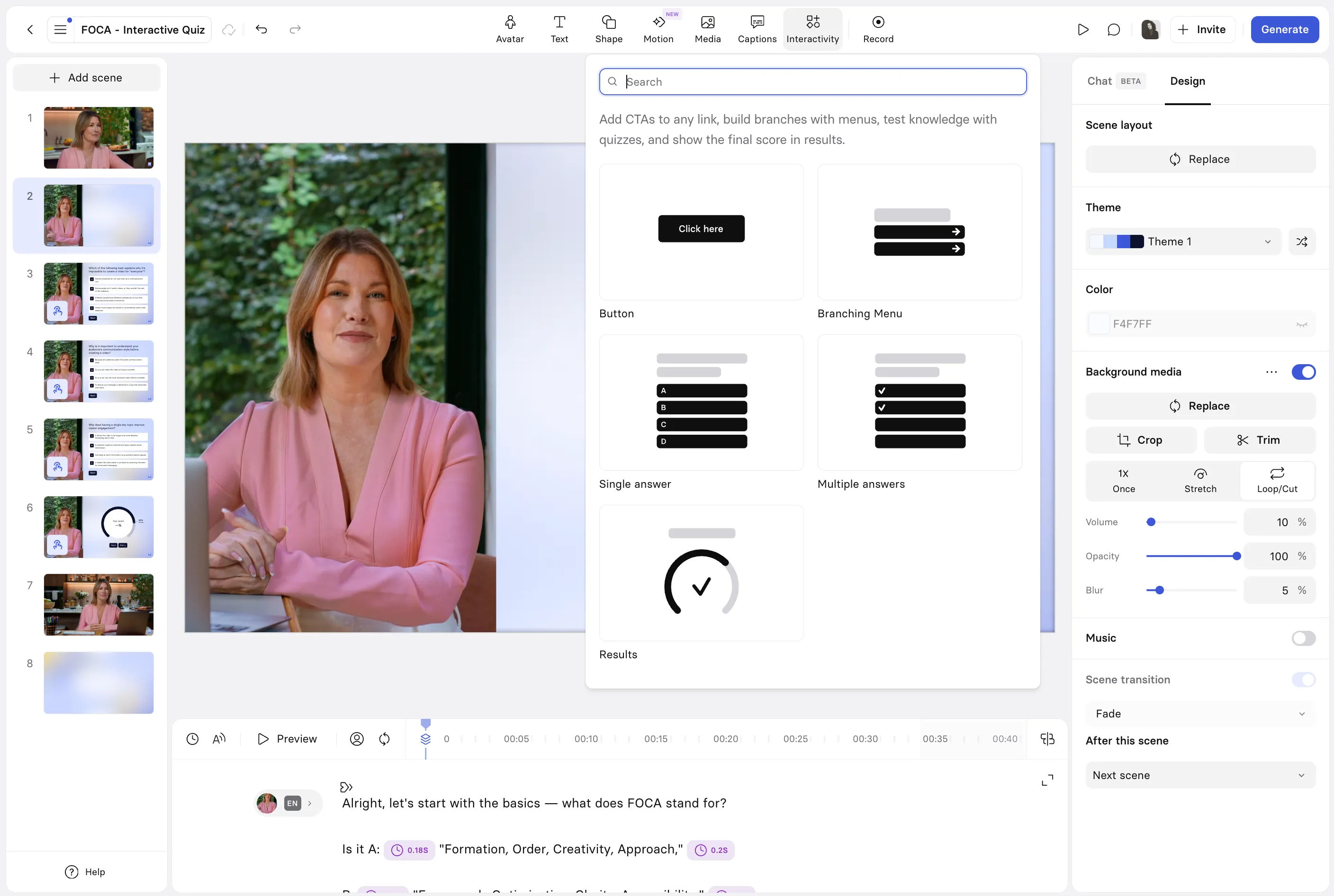
Original illustration from Synthesia’s official documentation, retrieved at full resolution on Sept. 29, 2026. Navigation, questions and results are separate components; this illustration does not mean every component is included in Creator.
Colossyan documents questions, buttons and jumps between scenes too (checked Sept. 29, 2026). For example, design a safety-procedure question that sends an incorrect answer to a short explanation, then back to a knowledge check. Map that path before adding presenters and generating scenes.
SCORM: Check the Plan and the Reporting
Synthesia’s export instructions confirm video exports as SCORM 1.2 or 2004 on Enterprise. Its publishing documentation describes a hosted player; a fully self-contained offline package is not a standard feature. It also states that embedded video does not resume at the position where the learner left (checked Sept. 29, 2026).
Colossyan’s official pages still conflict. Pricing includes five monthly SCORM exports in Professional, while the SCORM guide lists Enterprise for Colossyan Video. The guide also distinguishes Video, which supports SCORM 1.2 and 2004, from Learn, where SCORM 2004 remains on the roadmap. Interactive video streams by default; self-contained output requires a specific request (checked Sept. 29, 2026).
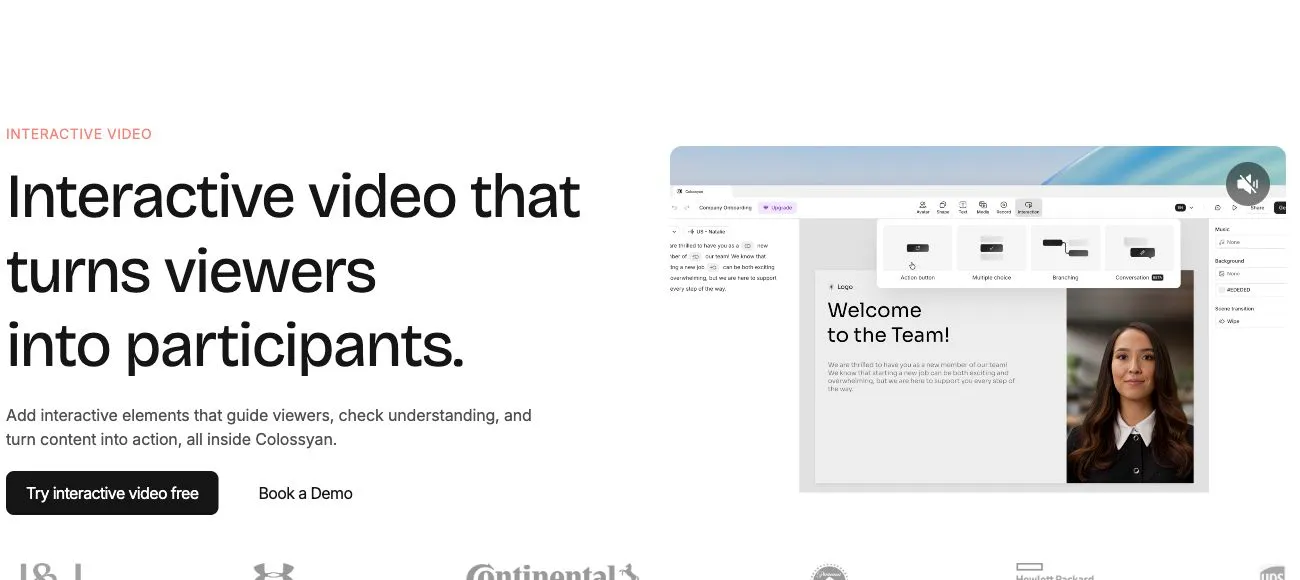
Public Colossyan Interactive Video page, captured Sept. 29, 2026. SCORM is a separate export choice from MP4; the illustration does not establish plan eligibility.
A Checklist for Validating Your LMS Package
Request a sample that matches your intended delivery: the same SCORM version, quiz type and hosting arrangement. Copy this checklist into your acceptance plan and have your LMS administrator complete it using a learner account. These are checks to perform in your own environment.
| What to check | Action to perform | Evidence to record |
|---|---|---|
| SCORM 1.2 or 2004 | Import the version your LMS accepts, then launch it as a learner. For Colossyan, specify Video or Learn. | Export version, confirmed product and subscription, successful launch. |
| Completion | Exit before the configured threshold, then start again and reach that threshold or finish the pathway. | Status reported in each case, matching the selected rule: start, percentage or end. |
| Score and pass/fail | Complete one attempt below the passing threshold and another above it. | Each attempt’s score and success status; also check whether the LMS retains the highest or latest score. |
| Resume behavior | Answer a question, exit halfway through, close the session and reopen the module. | Restored position and answers, or a documented restart that meets your requirements. |
| Connectivity and self-contained delivery | Launch on the network employees will use. If a self-contained package is required, request a sample and have IT check its dependencies. | Written confirmation of media hosting, required external access and self-contained delivery. |
| Updates | Revise a sentence in the sample, publish the new version and reopen the pathway. | Revised sentence visible, documented replacement process and verified effect on existing learner records. |
Scoring example: with four equally weighted questions and a 75% passing threshold, two correct answers should produce 50% and a fail; four should produce 100% and a pass. This calculation provides an expected result if the selected tool supports that configuration.
Update handling also differs: Synthesia documents refreshing its hosted player after resharing a generated version, while Colossyan still lists Dynamic SCORM on its roadmap (checked Sept. 30, 2026). Confirm the revision process and whether replacement packages consume the export allowance before buying.
Avatars and Translation: Compare the Same Material
Prepare a 60–90 second script with a company name, an acronym and a technical sentence. Use the same language to compare pronunciation, pauses, captions and correction options. Vendor demonstrations using different scripts cannot establish an objective realism ranking.
For a Spanish version of US employee training, budget for review by someone familiar with the job and its terminology. Also separate translating an editor-created project from dubbing an uploaded recording: Colossyan’s translation page still contains limitations and announcements that prevent treating those workflows as interchangeable (checked Sept. 29, 2026).
Which Should You Choose?
If you need lessons, activities and assessments beyond a video, see the Coursebox guide. It explains dynamic versus standalone SCORM exports, including what remains usable after cancellation.
- Short videos to download: examine Synthesia Starter, then check the voice and runtime against your script.
- Interactive learning: compare included functionality, keeping Colossyan on the shortlist and considering Synthesia Enterprise for scored quizzes.
- Mandatory LMS delivery: choose after validating a sample export, its reporting and the full project cost.
Explore Synthesia — affiliate link: a subscription may earn a commission at no extra cost. Visit Colossyan — direct, non-affiliate link.
To prepare the narration, follow the Synthesia and ChatGPT educational video tutorial. For a broader shortlist, see HeyGen alternatives.
FAQ
Which Is Better for a First Training Project?
Decide whether you need a video, an interactive pathway or LMS-tracked learning. For a short video, compare cost and output; for scored learning, start with the export requirements and subscription.
Does Synthesia Creator Include Quizzes?
The documentation reserves quizzes for Enterprise. Creator supports buttons and branching, which are different from a scored assessment.
Is Colossyan Professional Enough for SCORM?
Pricing says it is, but the SCORM guide still lists Enterprise for Video. Confirm the export type and subscription before purchasing.
Can an MP4 Preserve Interactive Questions?
An MP4 alone does not preserve clickable buttons or quizzes. Plan for a supported player or learning package, and decide on that format before production.