Runway Comes to DaVinci Resolve: What Changes for Editors
Runway’s DaVinci Resolve Studio plugin: required plans, a practical credit budget, and the export and timeline limits editors should check before installing.
Contents
Runway launched its DaVinci Resolve Studio plugin on September 23, 2026. It brings AI generation and editing into the video editor: the download is free, while generation requires a paid subscription (Runway announcement, checked Oct. 1, 2026).
Consider a specific job: fill a missing shot, offer a client another version, then continue editing. The useful question is whether this integration removes enough handling from that job to justify its cost.
What Does Runway Add to DaVinci Resolve?
A panel brings generation and result retrieval into the editing environment (plugin overview, checked Oct. 1, 2026). Aleph 2.0, for example, can carry an image edit across existing footage. The publisher’s examples include revising a background element or changing a product’s appearance.
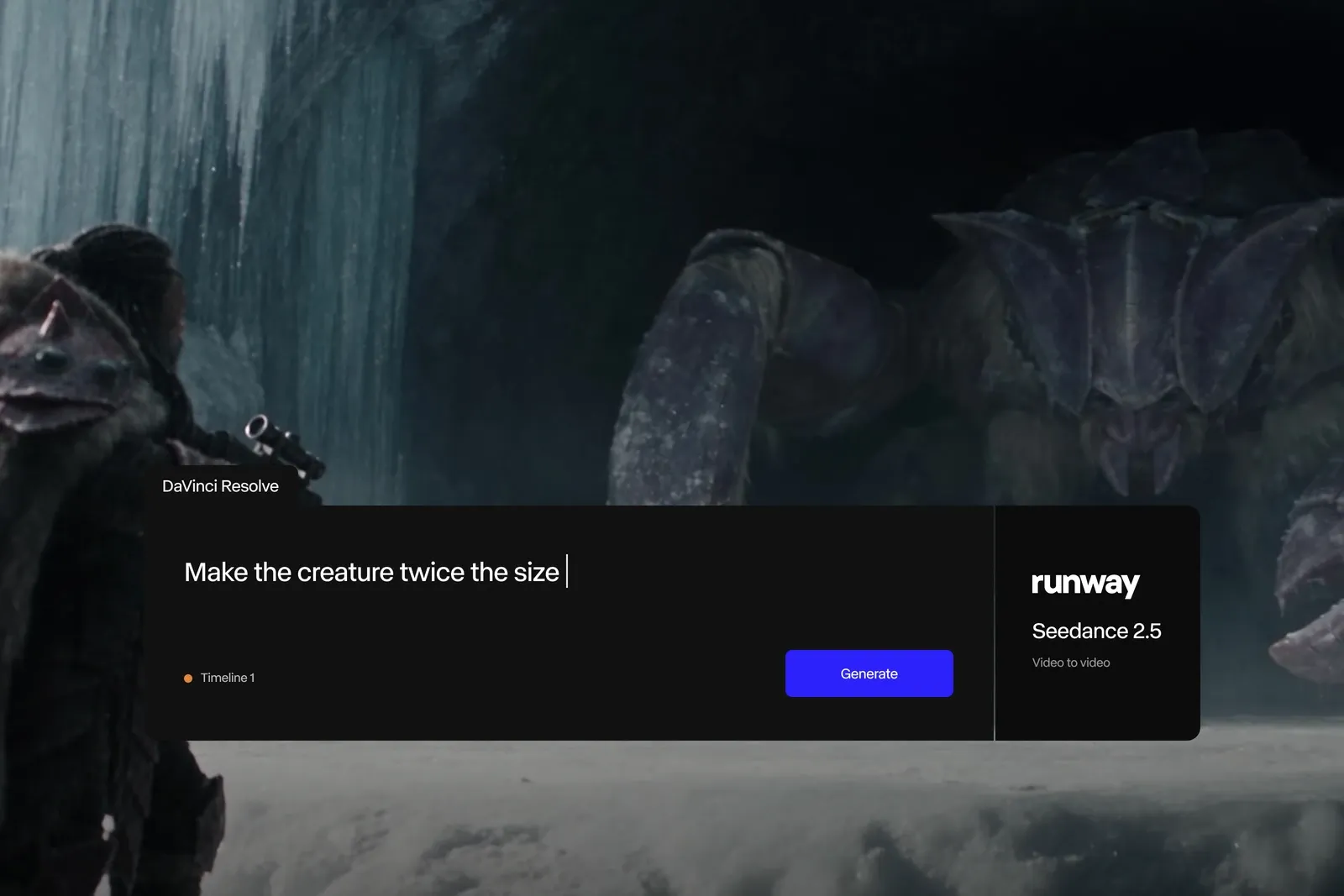
Publisher illustration from the Runway announcement, checked Oct. 1, 2026: a prompted edit using Seedance 2.5.
Easier access to a model does not finish the edit. You still need to select the take and check movement, object continuity, lighting across cuts, and whether the shot matches the brief.
Which Software and Plans Do You Need?
| Requirement | Minimum access |
|---|---|
| Editor | DaVinci Resolve Studio 19 or later |
| Operating system | macOS or Windows |
| Runway plan | Standard or higher for generation |
Sources: plugin announcement and access requirements, checked Oct. 1, 2026. A Resolve Studio license is separate from the Runway subscription. A free Runway account can sign in and browse past generations, but cannot generate through the plugin.
You still need Internet access: generation runs on Runway’s servers (documentation, checked Oct. 1, 2026).
What Would a Small Editing Job Cost?
Runway Standard is $15 billed monthly, or $144 billed annually, equivalent to $12 per month. It includes 625 credits each month. Aleph 2.0 uses 140 credits for five seconds (Runway’s published USD prices, checked Oct. 1, 2026).
Gen-4.5 uses 12 credits per second, or 60 for five seconds (Gen-4.5 documentation, checked Oct. 1, 2026).
For a sample client estimate, suppose you need four five-second B-roll generations and two five-second revisions of existing footage.
| Planned work | Calculation | Credits |
|---|---|---|
| Four Gen-4.5 generations | 4 × 60 | 240 |
| Two Aleph 2.0 edits | 2 × 140 | 280 |
| Combined | 240 + 280 | 520 |
Editorial calculation: 105 credits would remain, before any other processing. That allows another five-second Gen-4.5 attempt, but not another Aleph edit of the same length. This estimate assumes one generation per planned result. It does not promise six usable shots on the first attempt and excludes a Resolve Studio purchase.
Which Limits Matter Before Installing?
The plugin’s help page, checked Oct. 1, 2026, lists several boundaries:
- Imports land at the end of the timeline, not at the playhead.
- Direct ProRes and image-sequence delivery is unsupported.
- Submitted generations cannot be canceled.
- Linux and the free Resolve edition are unsupported.
The import behavior matters: placing the new shot into the cut is still your job. Also check the client’s delivery specifications before making this panel the center of a production process.
Who Should Consider It?
Already using Resolve Studio and Runway? Start with one sequence and judge whether the panel saves useful handling. Define the shot, the acceptable number of attempts, and a credit ceiling before generating.
Starting from scratch? The integration alone may not justify two purchases. The Runway guide covers the service itself, while the AI video generator comparison helps match an application to the desired output. For adapting recorded footage to another language, the video translation guide addresses a different job.
FAQ
Does It Work With the Free Edition of DaVinci Resolve?
No. Runway requires Resolve Studio 19 or later (plugin help, checked Oct. 1, 2026).
Does My Computer Generate the Video Locally?
No. The plugin uses Runway’s servers and needs Internet access (documentation, checked Oct. 1, 2026).
Do I Need to Switch Editors to Use Runway?
No. Runway remains available in a browser and also offers Premiere Pro and After Effects plugins, checked Oct. 1, 2026. Choose the editor that suits the project first.